Index Management
Note
Before using the Index Management module, it is necessary to set an appropriate password for the logserver user in the following file: /usr/share/logserver-gui/curator/curator.yml
The Index Management module allows you to manage indexes and perform activities such as:
Closing indexes,
Delete indexes,
Performing a merge operation for index,
Shrink index shards,
Index rollover.
The Index Management module is accessible through the main menu tab.
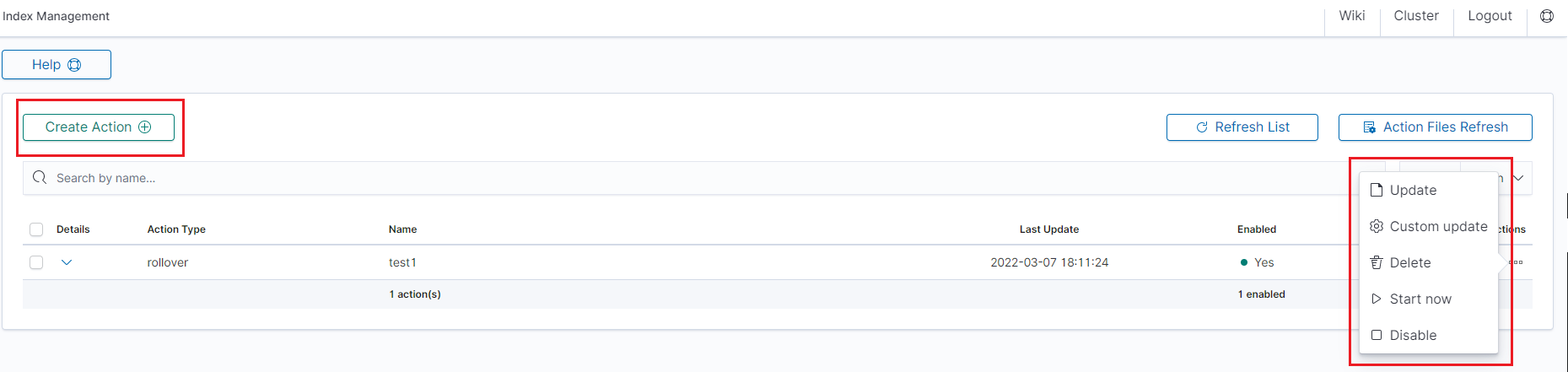
The main module window allows you to create new Create Task tasks, view and manage created tasks, that is:
Update,
Custom update,
Delete,
Start now,
Disable / Enable.
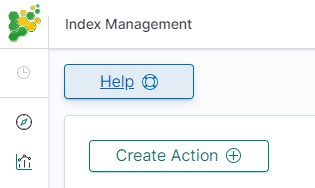
Note Use the Help button
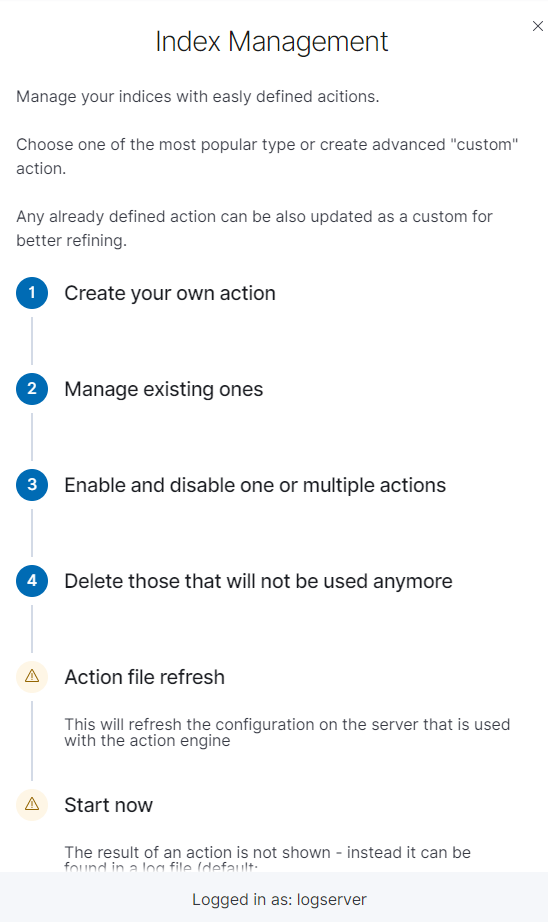
By using the Help button you can get a detailed description of the current action
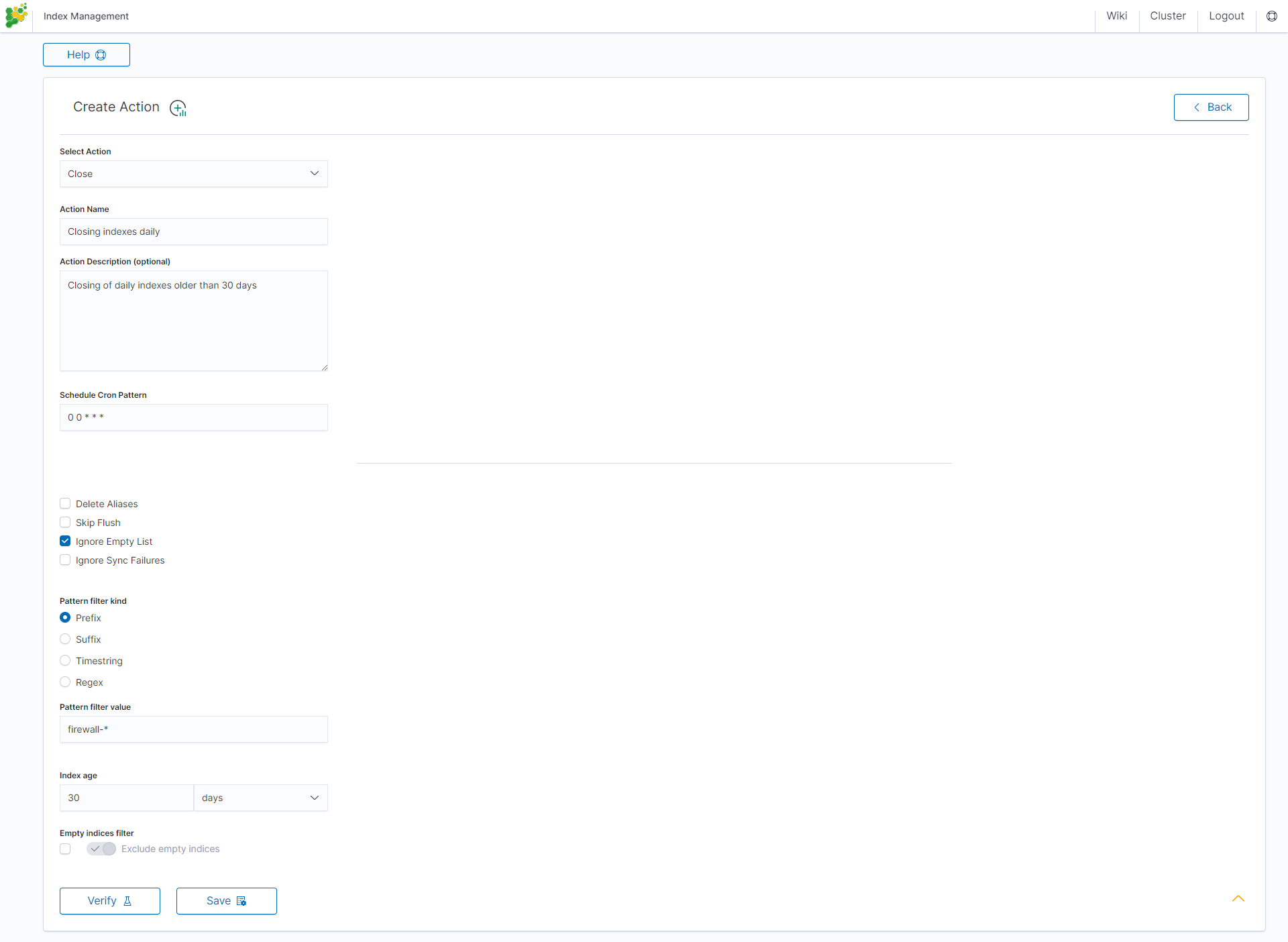
Close action
This action closes the selected indices and optionally deletes associated aliases beforehand.
Settings required:
Action Name
Schedule Cron Pattern - it sets when the task is to be executed, to decode cron format use the online tool: https://crontab.guru,
Pattern filter kind - it sets the index filtertype for the task,
Pattern filter value - it sets the value for the index filter,
Index age - it sets the index age for the task.
Optional settings:
Timeout override
Ignore Empty List
Continue if exception
Closed indices filter
Empty indices filter
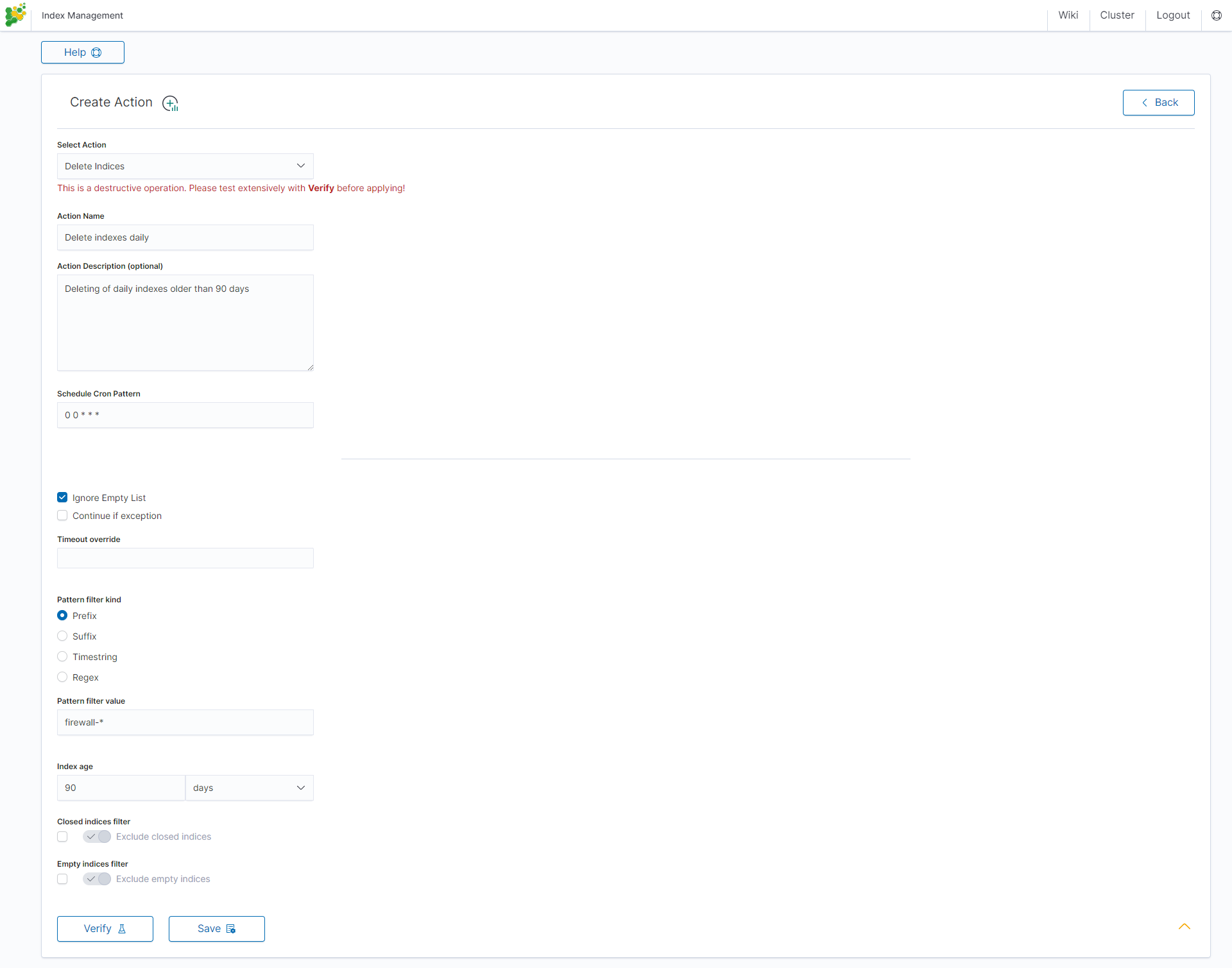
Delete action
This action deletes the selected indices.
Settings required:
Action Name
Schedule Cron Pattern - it sets when the task is to be executed, to decode cron format use the online tool: https://crontab.guru,
Pattern filter kind - it sets the index filtertype for the task,
Pattern filter value - it sets the value for the index filter,
Index age - it sets the index age for the task.
Optional settings:
Delete Aliases
Skip Flush
Ignore Empty List
Ignore Sync Failures
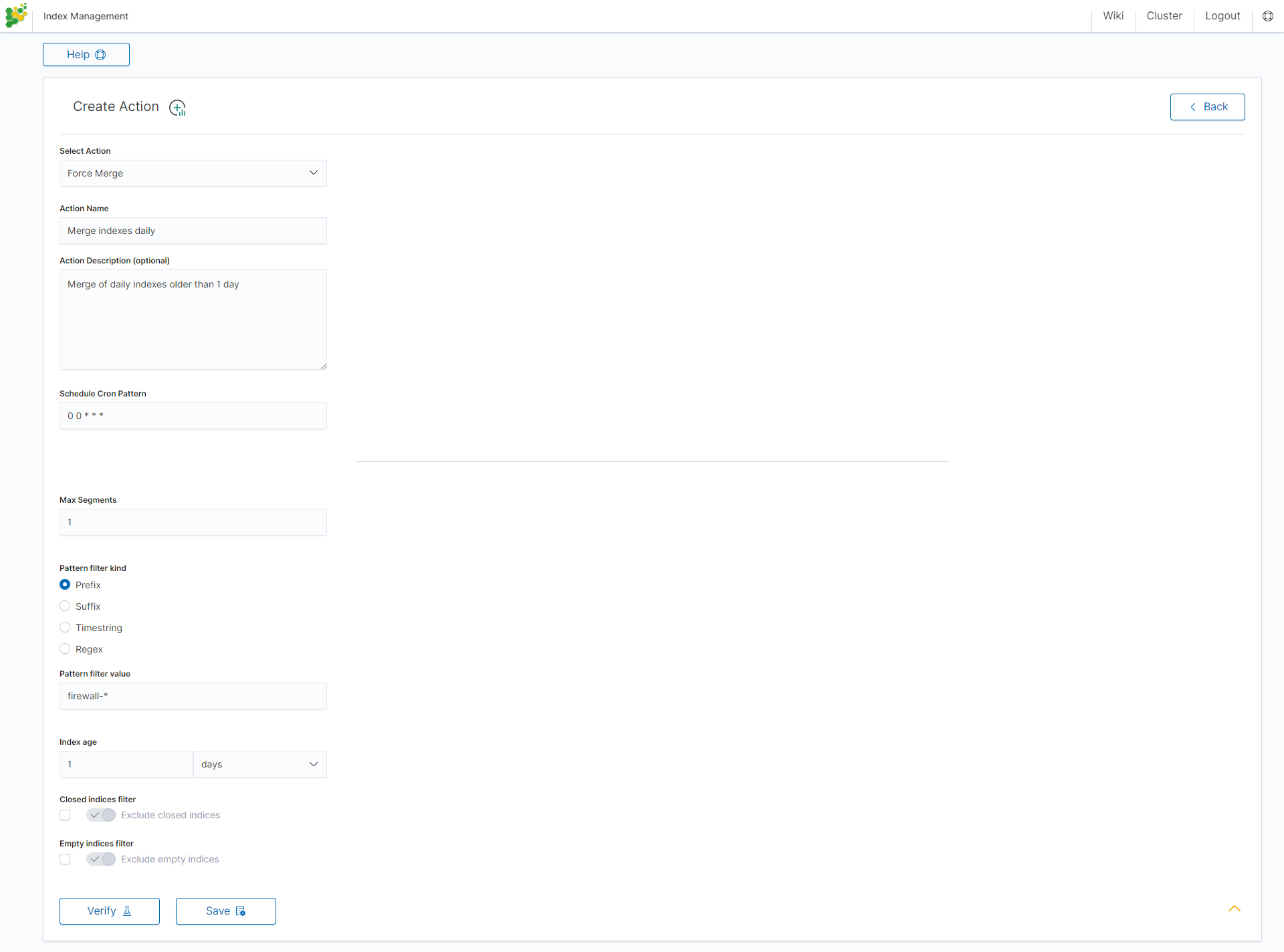
Force Merge action
This action performs a Force Merge on the selected indices, merging them in the specific number of segments per shard.
Settings required:
Action Name
Schedule Cron Pattern - it sets when the task is to be executed, to decode cron format use the online tool: https://crontab.guru,
Max Segments - it sets the number of segments for the shard,
Pattern filter kind - it sets the index filtertype for the task,
Pattern filter value - it sets the value for the index filter,
Index age - it sets the index age for the task.
Optional settings:
Ignore Empty List
Ignore Sync Failures
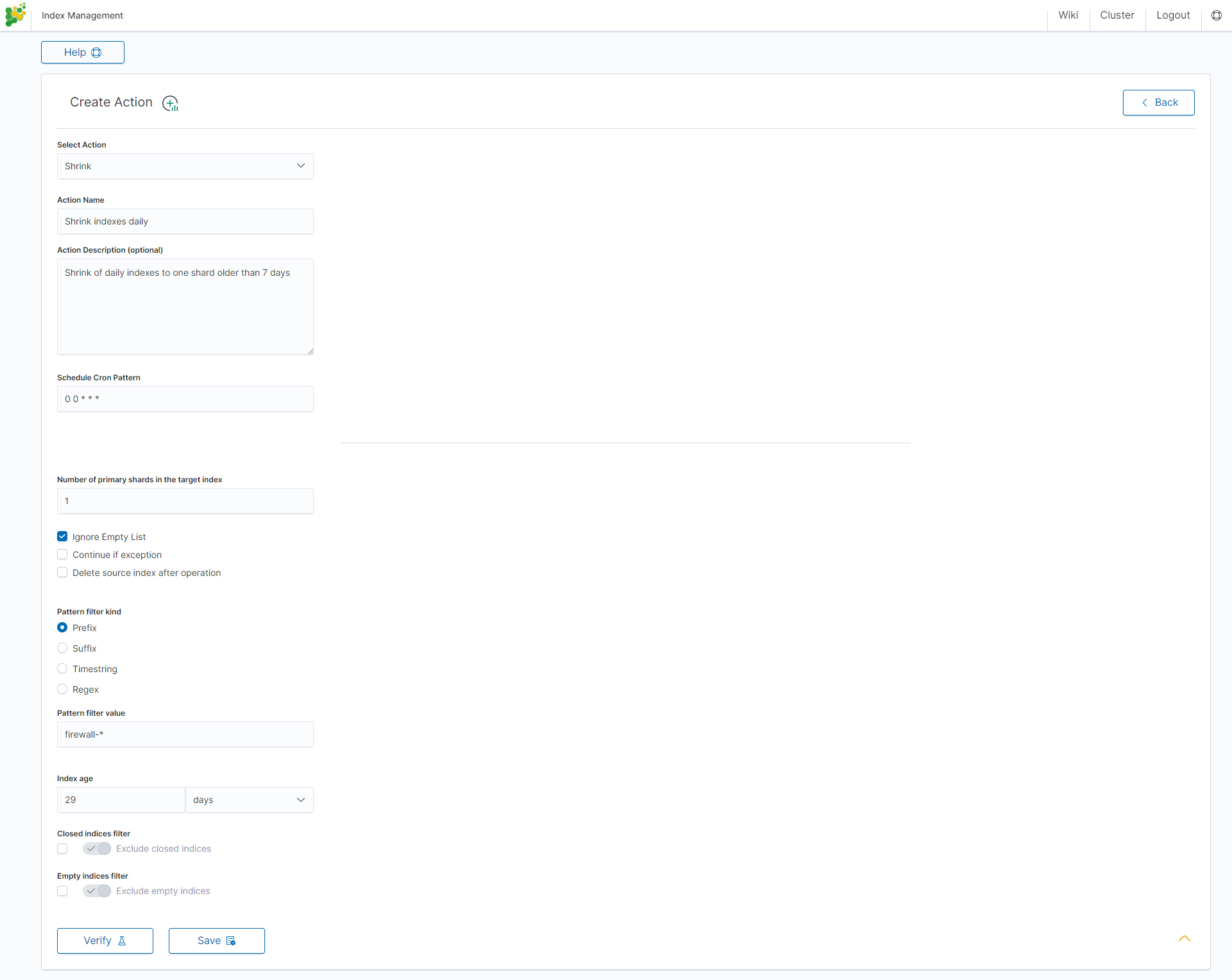
Shrink action
Shrinking an index is a good way to reduce the total shard count in your cluster.
Several conditions need to be met in order for index shrinking to take place:
The index must be marked as read-only
A (primary or replica) copy of every shard in the index must be relocated to the same node
The cluster must have health green
The target index must not exist
The number of primary shards in the target index must be a factor of the number of primary shards in the source index.
The source index must have more primary shards than the target index.
The index must not contain more than 2,147,483,519 documents in total across all shards that will be shrunk into a single shard on the target index as this is the maximum number of docs that can fit into a single shard.
The node handling the shrink process must have sufficient free disk space to accommodate a second copy of the existing index.
The task will try to meet these conditions. If it is unable to meet them all, it will not perform a shrink operation.
Settings required:
Action Name
Schedule Cron Pattern - it sets when the task is to be executed, to decode cron format use the online tool: https://crontab.guru,
Number of primary shards in the target index - it sets the number of shards for the target index,
Pattern filter kind - it sets the index filtertype for the task,
Pattern filter value - it sets the value for the index filter,
Index age - it sets the index age for the task.
Optional settings:
Ignore Empty List
Continue if exception
Delete source index after operation
Closed indices filter
Empty indices filter
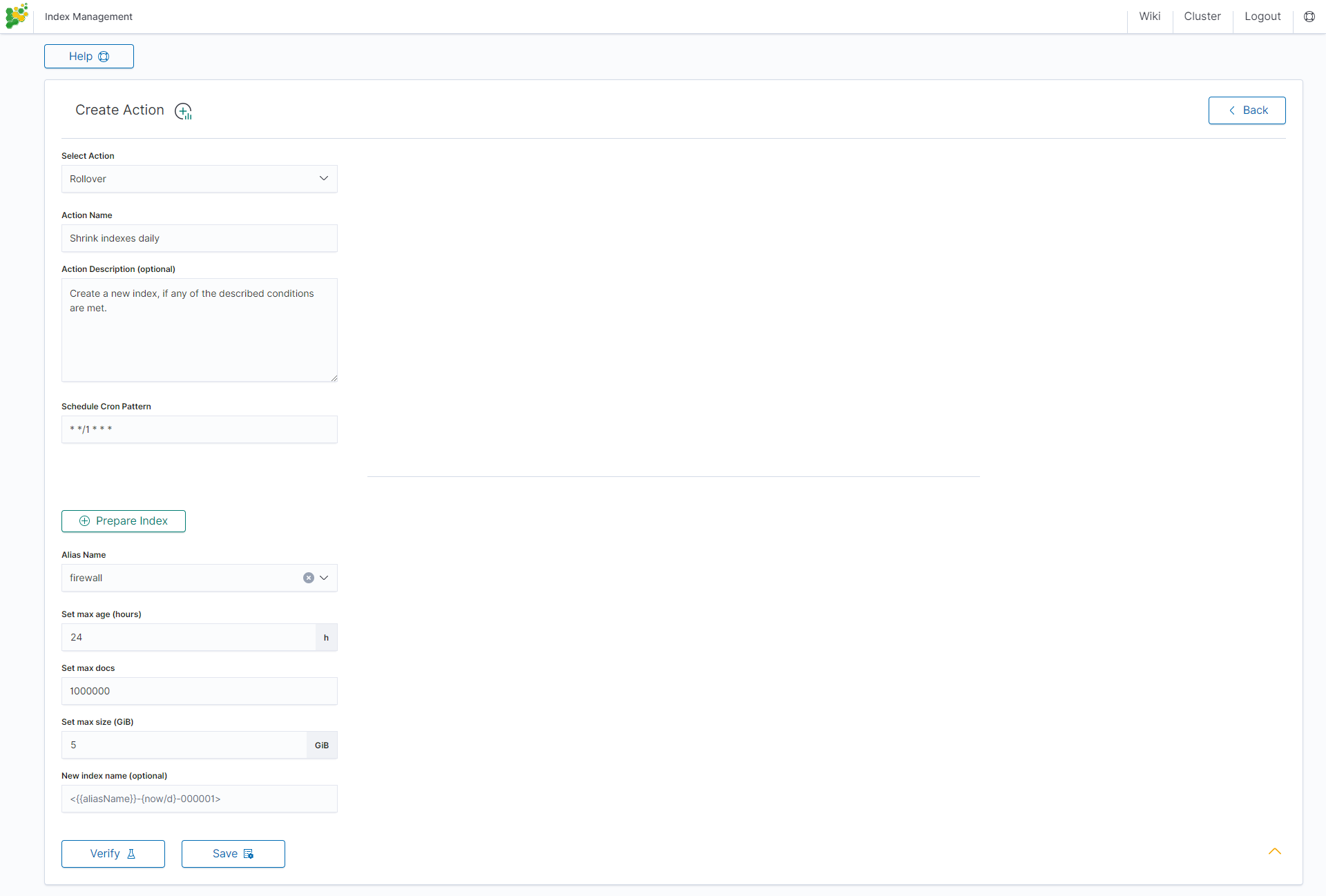
Rollover action
This action uses the Data Node Rollover API to create a new index if any of the described conditions are met.
Settings required:
Action Name
Schedule Cron Pattern - it sets when the task is to be executed, to decode cron format use the online tool: https://crontab.guru,
Alias Name - it sets an alias for the index,
Set max age (hours) - it sets an age for the index after then index will rollover,
Set max docs - it sets a number of documents for the index after which the index will rollover,
Set max size (GiB) - it sets index size in GB after which the index will rollover.
Optional settings:
New index name (optional)
Index rollover
Using the rollover function, you can configure retention policies for the audit, .agents, and alert indices.
To access the rollover configuration, click the Configure button (gear icon) within the Index Management module:
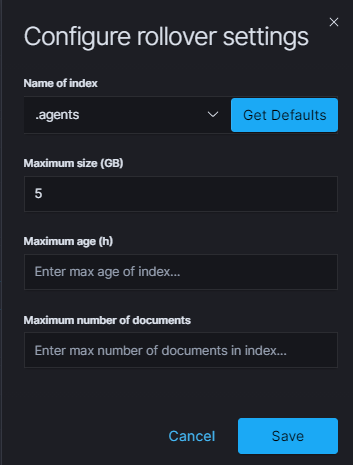
You can set the following retention parameters for the above indices:
Maximum size (GB);
Maximum age (h);
Maximum number of documents.
Delete Indices
The Configure modal also includes a Delete Indices section that defines the maximum retention age for system indices before automatic deletion.
Setting |
Description |
|---|---|
Maximum age (days) |
Defines the retention period in days. Documents older than this threshold are automatically deleted from the |
Custom action
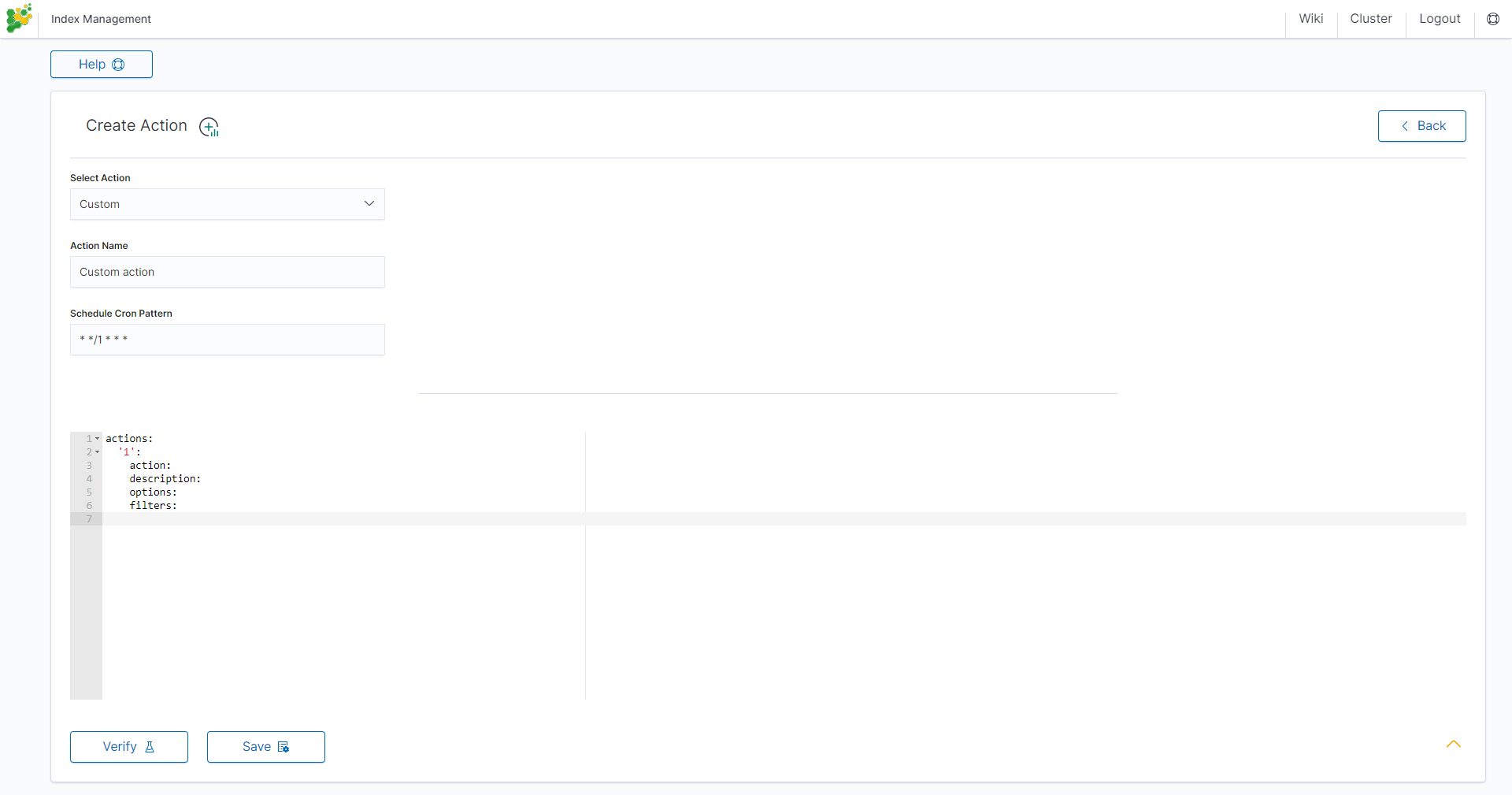
To create a Custom action, select Custom from Select Action, enter a name in the Action Name field, and set the schedule in the Schedule Cron Pattern field. In the edit field, enter the definition of a custom action:
Custom Action examples:
Open index
actions:
  1:
    action: open
    description: >-
      Open indices older than 30 days but younger than 60 days (based on index
      name), for syslog- prefixed indices.
    options:
      timeout_override:
      continue_if_exception: False
      disable_action: True
    filters:
    - filtertype: pattern
      kind: prefix
      value: syslog-
      exclude:
    - filtertype: age
      source: name
      direction: older
      timestring: '%Y.%m.%d'
      unit: days
      unit_count: 30
      exclude:
    - filtertype: age
      source: name
      direction: younger
      timestring: '%Y.%m.%d'
      unit: days
      unit_count: 60
      exclude:
Replica reduce
actions:
  1:
    action: replicas
    description: >-
      Reduce the replica count to 0 for syslog- prefixed indices older than
      10 days (based on index creation_date)
    options:
      count: 0
      wait_for_completion: False
      timeout_override:
      continue_if_exception: False
      disable_action: True
    filters:
    - filtertype: pattern
      kind: prefix
      value: syslog-
      exclude:
    - filtertype: age
      source: creation_date
      direction: older
      unit: days
      unit_count: 10
      exclude:
Index allocation
actions:
  1:
    action: allocation
    description: >-
      Apply shard allocation routing to 'require' 'tag=cold' for hot/cold node
      setup for syslog- indices older than 3 days, based on index_creation
      date
    options:
      key: tag
      value: cold
      allocation_type: require
      disable_action: True
    filters:
    - filtertype: pattern
      kind: prefix
      value: syslog-
    - filtertype: age
      source: creation_date
      direction: older
      unit: days
      unit_count: 3
Cluster routing
actions:
  1:
    action: cluster_routing
    description: >-
      Disable shard routing for the entire cluster.
    options:
      routing_type: allocation
      value: none
      setting: enable
      wait_for_completion: True
      disable_action: True
  2:
    action: (any other action details go here)
    ...
  3:
    action: cluster_routing
    description: >-
      Re-enable shard routing for the entire cluster.
    options:
      routing_type: allocation
      value: all
      setting: enable
      wait_for_completion: True
      disable_action: True
Preinstalled actions
Close-Daily
This action closes the selected indices older than 93 days and optionally deletes associated aliases beforehand. For example, if today is 21 December this action will close or optionally delete every index older than 30 September of the same year, action starts every day at 01:00 AM.
Action type: CLOSE
Action name: Close-Daily
Action Description (optional): Close daily indices older than 93 days
Schedule Cron Pattern : 0 1 * * *
Delete Aliases: enabled
Skip Flush: disabled
Ignore Empty List: enabled
Ignore Sync Failures: enabled
Pattern filter kind: Timestring
Pattern filter value: %Y.%m.%d
Index age: 93 days
Empty indices filter: disable
Close-Monthly
This action closes the selected indices older than 93 days (3 months) and optionally deletes associated aliases beforehand. If today is 21 December, this action will close or optionally delete every index older than October the same year, the action starts every day at 01:00 AM.
Action type: CLOSE
Action name: Close-Monthly
Action Description (optional): Close monthly indices older than 93 days
Schedule Cron Pattern: 0 1 * * *
Delete Aliases: enabled
Skip Flush: disabled
Ignore Empty List: enabled
Ignore Sync Failures: enabled
Pattern filter kind: Timestring
Pattern filter value: %Y.%m$
Index age: 93 days
Empty indices filter: disable
Disable-Refresh-Older-Than-Days
This action disables the daily refresh of indices older than 2 days. the action is performed daily at 01:00.
Action type: CUSTOM
Action name: Disable-Refresh-Older-Than-Days
Schedule Cron Pattern: 0 1 * * *
YAML:
actions:
  '1':
    action: index_settings
    description: Disable refresh for older daily indices
    options:
      index_settings:
        index:
          refresh_interval: -1
      ignore_unavailable: False
      ignore_empty_list: true
      preserve_existing: False
    filters:
      - filtertype: pattern
        kind: timestring
        value: '%Y.%m.%d$'
      - filtertype: age
        source: creation_date
        direction: older
        unit: days
        unit_count: 2
Disable-Refresh-Older-Than-Month
This action disables the refresh of indices older than one month. The action is performed daily at 01:00.
Action type: CUSTOM
Action name: Disable-Refresh-Older-Than-Month
Schedule Cron Pattern: 0 1 * * *
YAML:
actions:
  '1':
    action: index_settings
    description: Disable refresh for older monthly indices
    options:
      index_settings:
        index:
          refresh_interval: -1
      ignore_unavailable: False
      ignore_empty_list: true
      preserve_existing: False
    filters:
      - filtertype: pattern
        kind: timestring
        value: '%Y.%m$'
      - filtertype: age
        source: creation_date
        direction: older
        unit: days
        unit_count: 32
Force-Merge-Older-Than-Days
This action forces the daily merge of indices older than two days. The action is performed daily at 01:00.
Action type: CUSTOM
Action name: Force-Merge-Older-Than-Days
Schedule Cron Pattern: 0 1 * * *
YAML:
actions:
  '1':
    action: forcemerge
    description: Force merge on older daily indices
    options:
      max_num_segments: 1
      ignore_empty_list: true
      continue_if_exception: false
      delay: 60
    filters:
      - filtertype: pattern
        kind: timestring
        value: '%Y.%m.%d$'
      - filtertype: age
        source: creation_date
        direction: older
        unit: days
        unit_count: 2
      - filtertype: forcemerged
        max_num_segments: 1
        exclude: True
Force-Merge-Older-Than-Months
This action forces the daily merge of indices older than one month. The action is performed daily at 01:00.
Action type: CUSTOM
Action name: Force-Merge-Older-Than-Months
Schedule Cron Pattern: 0 1 * * *
YAML:
actions:
  '1':
    action: forcemerge
    description: Force merge on older monthly indices
    options:
      max_num_segments: 1
      ignore_empty_list: true
      continue_if_exception: false
      delay: 60
    filters:
      - filtertype: pattern
        kind: timestring
        value: '%Y.%m$'
      - filtertype: age
        source: creation_date
        direction: older
        unit: days
        unit_count: 32
      - filtertype: forcemerged
        max_num_segments: 1
        exclude: True
Note
Logtrail indices are created automatically by the internal audit logging pipeline. The following two preinstalled actions manage their size and retention.
Logtrail-default-delete
This action leaves only two last indices from each logtrail rollover index ( allows for up to 10GB of data). The action is performed daily at 03:30.
Action type: CUSTOM
Action name: Logtrail-default-delete
Schedule Cron Pattern: 30 3 * * *
YAML:
actions:
  '1':
    action: delete_indices
    description: >-
      Leave only two last indices from each logtrail rollover index - allows for up to
      10GB data.
    options:
      ignore_empty_list: true
      continue_if_exception: true
    filters:
      - filtertype: count
        count: 2
        pattern: '^logtrail-(.*?)-\d{4}.\d{2}.\d{2}-\d+$'
        reverse: true
Logtrail-default-rollover
This action rolls over default Logtrail indices. The action is performed every hour at minute 5.
Action type: CUSTOM
Action name: Logtrail-default-rollover
Schedule Cron Pattern: 5 * * * *
YAML:
actions:
  '1':
    action: rollover
    description: >-
      This action works on default logtrail indices. It is recommended to enable
      it.
    options:
      name: logtrail-alert
      conditions:
        max_size: 5GB
      continue_if_exception: true
      allow_ilm_indices: true
  '2':
    action: rollover
    description: >-
      This action works on default logtrail indices. It is recommended to enable
      it.
    options:
      name: logtrail-elasticsearch
      conditions:
        max_size: 5GB
      continue_if_exception: true
      allow_ilm_indices: true
  '3':
    action: rollover
    description: >-
      This action works on default logtrail indices. It is recommended to enable
      it.
    options:
      name: logtrail-kibana
      conditions:
        max_size: 5GB
      continue_if_exception: true
      allow_ilm_indices: true
  '4':
    action: rollover
    description: >-
      This action works on default logtrail indices. It is recommended to enable
      it.
    options:
      name: logtrail-logstash
      conditions:
        max_size: 5GB
      continue_if_exception: true
      allow_ilm_indices: true