AI Assistant
This section is responsible for integration Energylogserver with Large Language Models LLM. Configuration in this section manages changes in AI Assistant, which is working in Discovery tab. Each LLM needs powerful graphics processor where complex semantic operation can run.
EnergyLogserver strongly recommend to use local AI resources or trusted providers. Remember, security is always local!
AI on Prem is our on Prem solution that You can deploy in local environment.
Providers
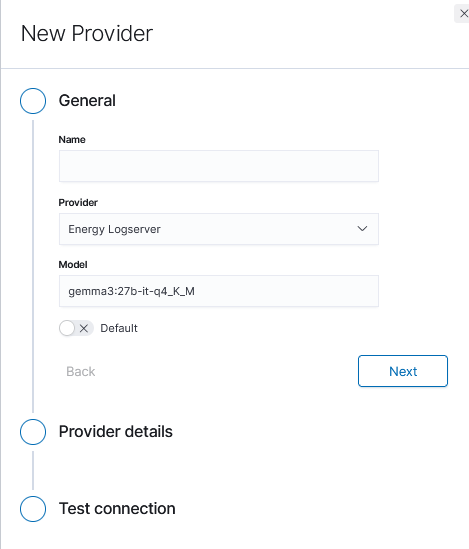
Energylogserver comes with predefined LLM connection that operates in our data center. Energylogserver LLM comes at no cost and allows You to use AI features in a controlled and secured way. You can use that provider while Your system in unders support agreement. Communication is encrypted, and we do not record Your prompts. If You want to process AI locally we encourage You to purchase AI on Prem, hardware AI model ready to operate from Your computer rack. Additionally we support open AI, Fireworks and Ollama. Configure Your model in Provider section. Choose its URL, model name, other attributes.
Configuring AI on Prem Connection
AI on Prem is a local hardware solution that allows you to run Large Language Models within your infrastructure, ensuring complete data privacy and compliance. The following steps describe how to configure a connection to AI on Prem using the Ollama provider.
Prerequisites:
Before configuring the connection, ensure that:
AI on Prem hardware is properly connected to your network
The AI on Prem device has been assigned an IP address
Network connectivity between the Energy Logserver GUI node and AI on Prem is allowed in your network firewall rules
The Ollama service is running on the AI on Prem device (default port: 11434)
Configuration Steps:
Navigate to the Empowered AI module and select the Assistant Wizard tab:
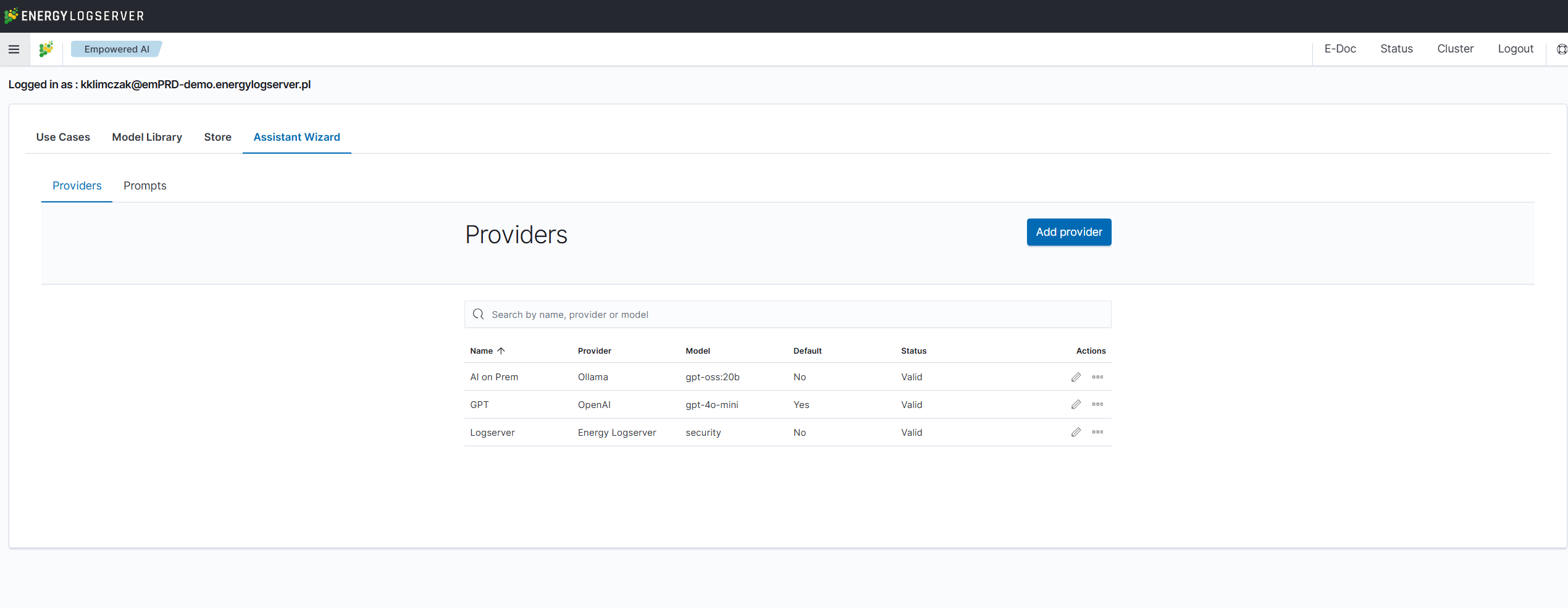
Click Add provider button to create a new provider configuration. In the General section, configure the following:
Name: Provide a descriptive name for your AI on Prem connection (e.g., “AI on Prem”)
Provider: Select Ollama from the dropdown menu
Model: Enter the model name available on your AI on Prem device (e.g., “gpt-oss:20b”)
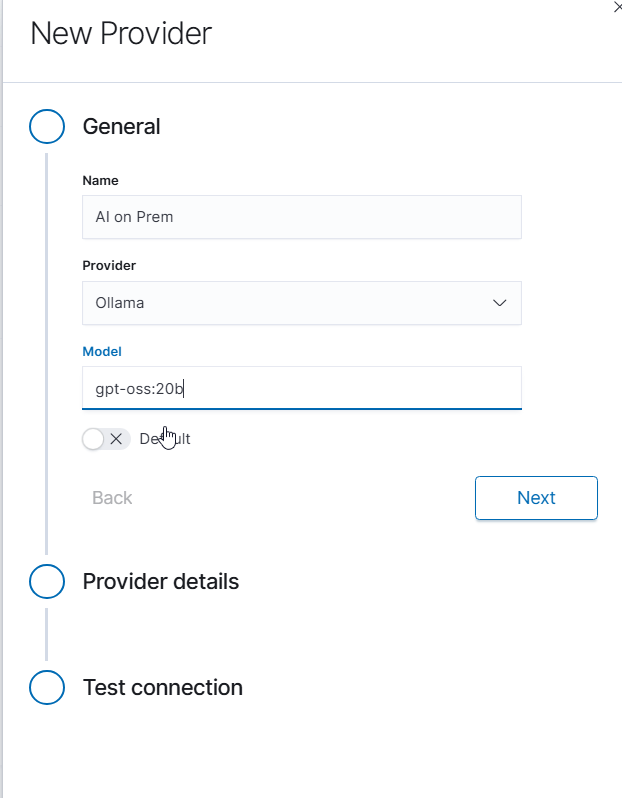
Click Next to proceed to provider details.
In the Provider details section, enter the connection information:
URL: Enter the full URL of your AI on Prem Ollama service in the format
http://<IP_ADDRESS>:11434Replace
<IP_ADDRESS>with the actual IP address assigned to your AI on Prem deviceExample:
http://10.4.3.12:11434
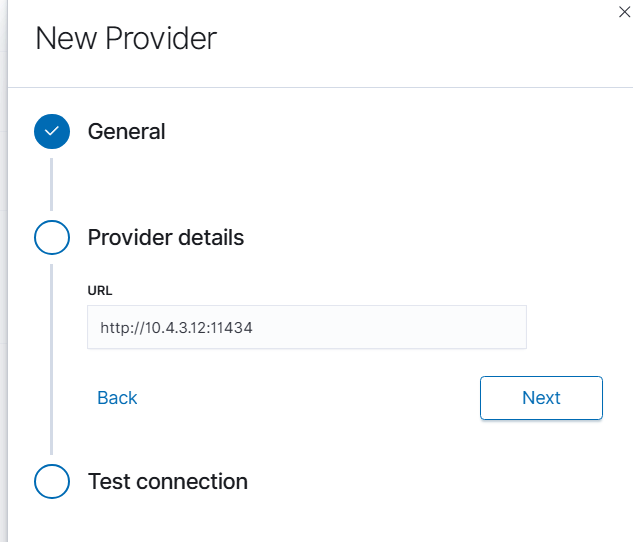
Click Next to proceed to connection testing.
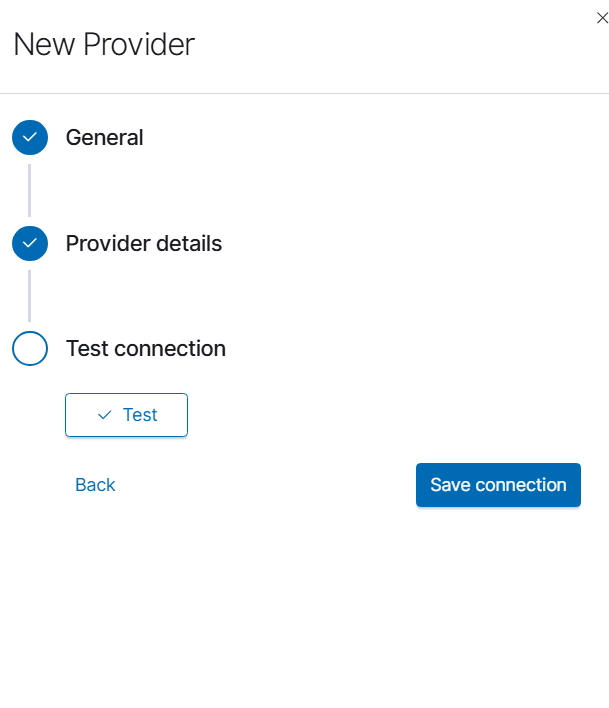
In the Test connection section, click the Test button to verify connectivity to your AI on Prem device. If the connection is successful, click Save connection to complete the configuration.
Troubleshooting:
If the connection test fails, verify the following:
The AI on Prem device is powered on and connected to the network
The IP address is correct and reachable from the Energy Logserver GUI node (use
pingcommand)Port 11434 is open in your firewall between the GUI node and AI on Prem device
The Ollama service is running on the AI on Prem device
Network routing is properly configured between VLANs or network segments if applicable
Once configured, the AI on Prem provider will be available for use in AI Assistant prompts and can be selected as the default provider for your organization.
Prompts
Energylogserver allows You to create own prompts to be used in AI Assistant section. A Prompt is a description of a problem to solve using provided log entry. Prompt can be simply any analytical task or technical inquiry that model can provide. Each prompt can work with own AI Provider.
New prompts can be deployed as new button, new entry on the list or stored as draft for later.
AI Assistant
Log analysis is empowered with AI Assistant. For each log entry user can run predefined prompts or use own prompts for deeper analysis.
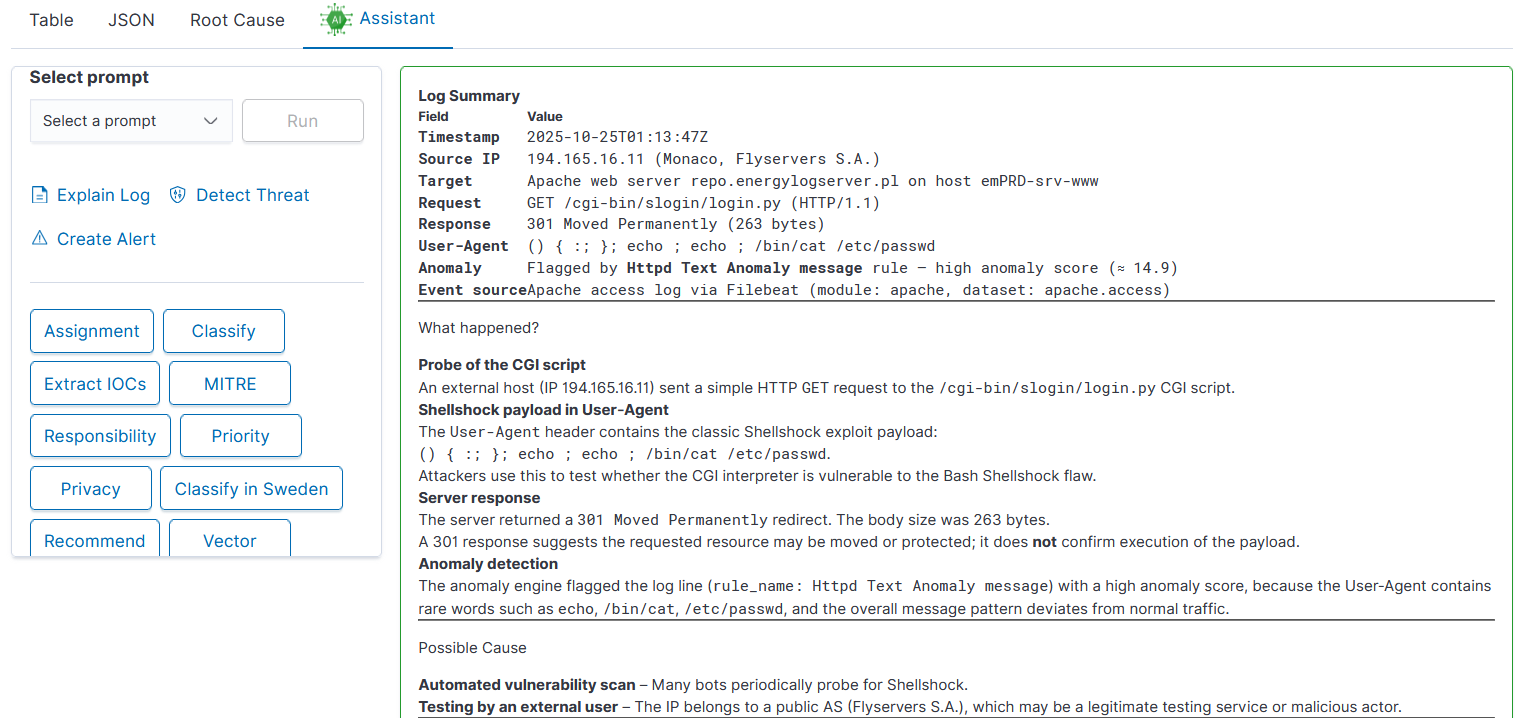
AI Assistant comes with three sections:
User prompts on the list
Embedded prompts
Default user prompts as buttons
All User prompts can be configured in Empowered AI - AI Assistant. Embedded prompts are immutable.
Description:
Explain log: gives detailed information about the meaning of log entry
Detect Threat: AI will semantically try to understand the meaning of log entry and try to detect possible security threat. Detection is done on a language level, not with regexp
Create Alert: AI will generate Alert rule, trying to match context of the message and not exact message value
Default prompts are deployed as buttons and can be modified in Empowered AI AI Assistant.
Description:
Assignment: match IT department / team with the problem defined - prompt can be adjusted to map team members to departments allowing quick incident escalation
Classify: match event category
Extract IOCs: easy way to copy all artefact like ip, username, program, etc
MITRE: describe threat using MITRE methodology
Responsibility: identify responsible team
Priority: analyze the entry estimating its priority in details
Privacy: check for sensitive, private data
Recommend: check for recommendations AI can provide for the problem